Integration
ClonBrowser
ClonBrowser is a specialized browser designed to streamline repetitive tasks. With its automation capabilities, this browser can handle thousands of tasks efficiently, saving significant amounts of time. It's equipped to automate various actions such as clicking, scrolling, filling web forms, and opening URLs based on predefined rules and logic.
Setting up proxies using ClonBrowser
Download ClonBrowser from the official website and register for an account.
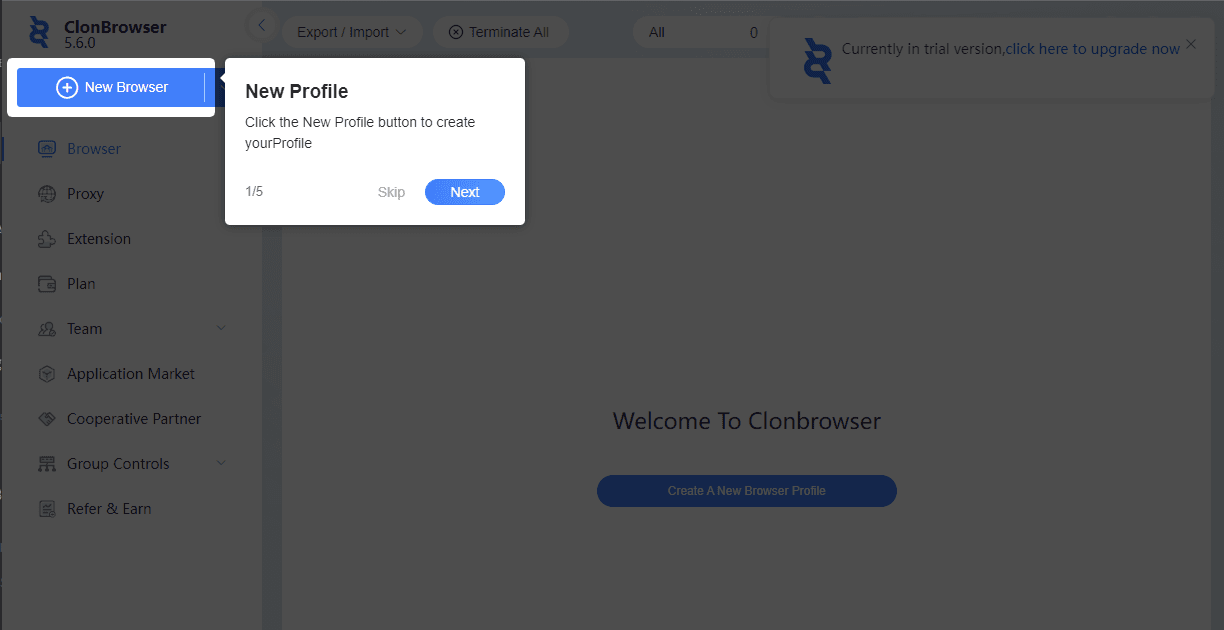
To create a new browser, click on the "+ New Browser" button in Clon.
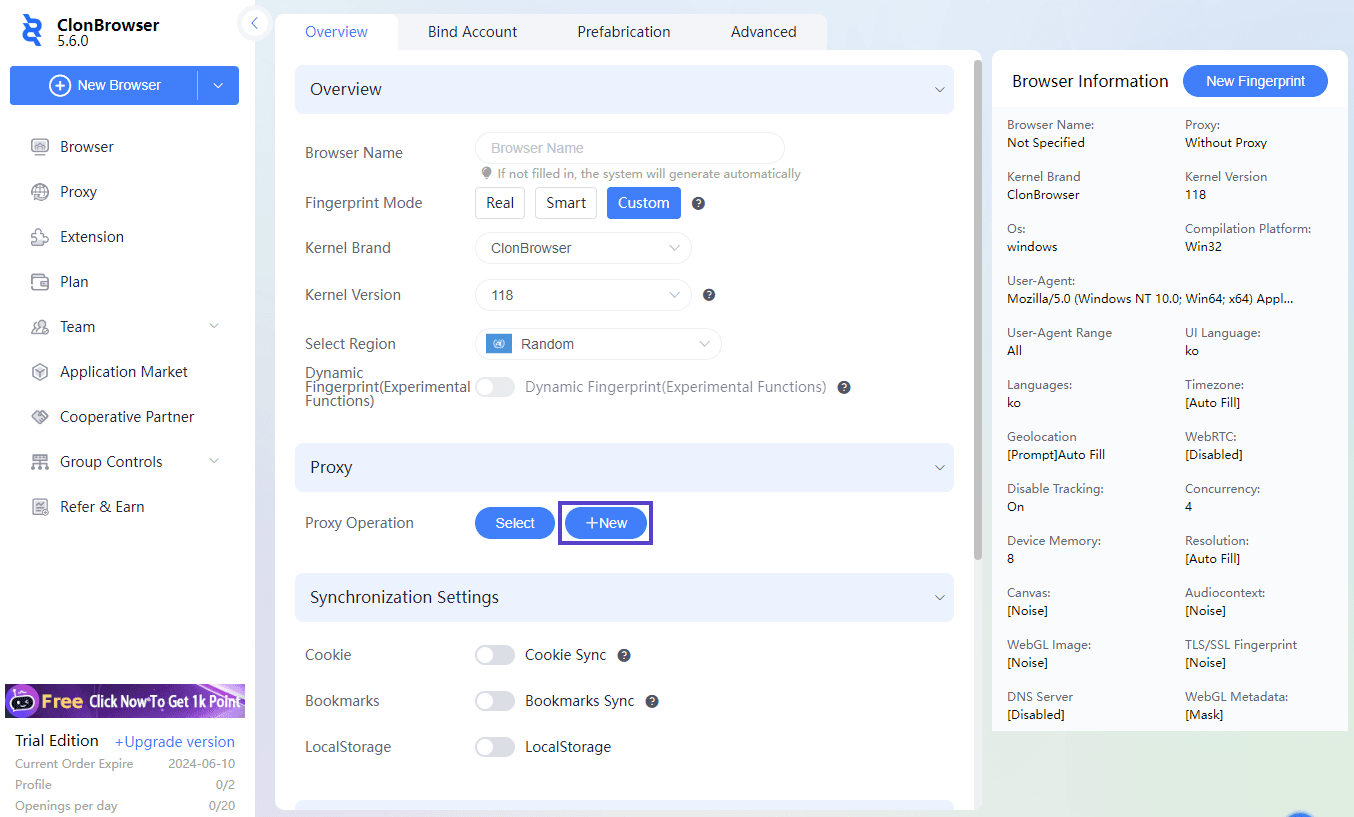
Once you've configured your browser settings, navigate to the proxy section and click on the "+ New" button.
Sign in to your ProxyPanel dashboard and open My Proxies. A proxy marked "Pending · starts on activation" needs a click on Start proxy before it will connect.
In the Connection column you'll find the host with two different ports: the one on the "HTTP proxy" line is for HTTP, the one on the "SOCKS5 proxy" line is for SOCKS5. The Credentials column holds the proxy username and the masked password; Copy username and Copy password copy them, and the eye icon shows the password. You won't be asked for your account password.
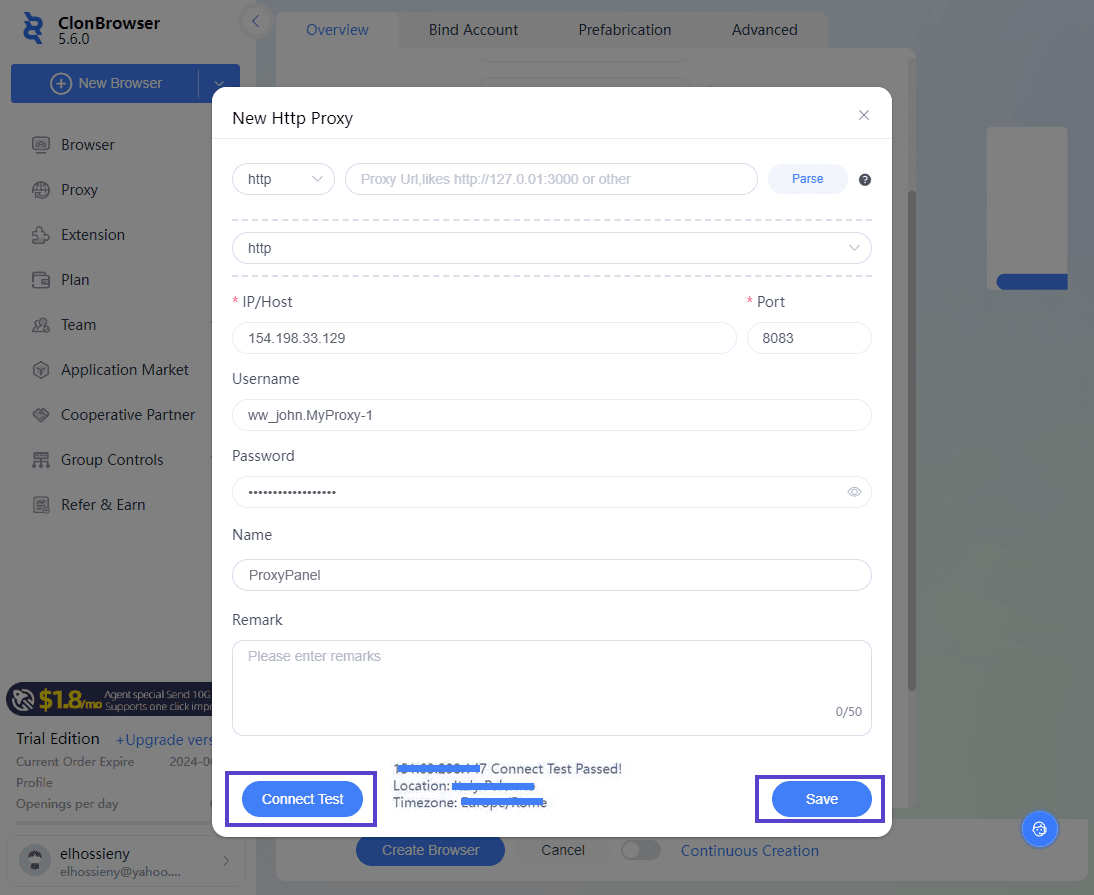
In the proxy window, choose the protocol: socks5 goes with the SOCKS5 port, http with the HTTP port. Fill in IP/Host, Port, Username and Password. Instead of typing, you can paste the details into the field at the top and click Parse; the ⋮ menu → Details line in your dashboard (host:port:username:password) carries the SOCKS5 port, so parse it with socks5 selected.
You have the option to verify the functionality of your proxies by accessing the "Connect Test" button. Once you've confirmed that everything is functioning as expected, proceed to save your settings by clicking on "Save".
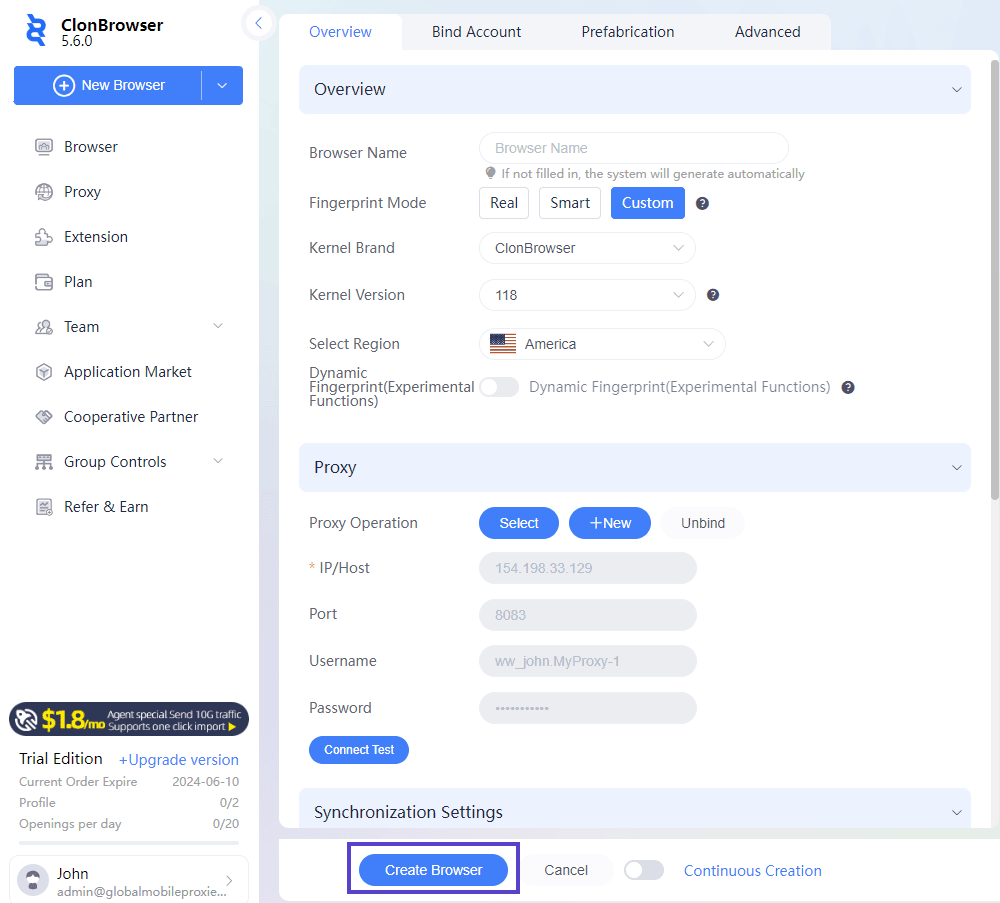
Complete the setup process by clicking on the "Create Browser" button.
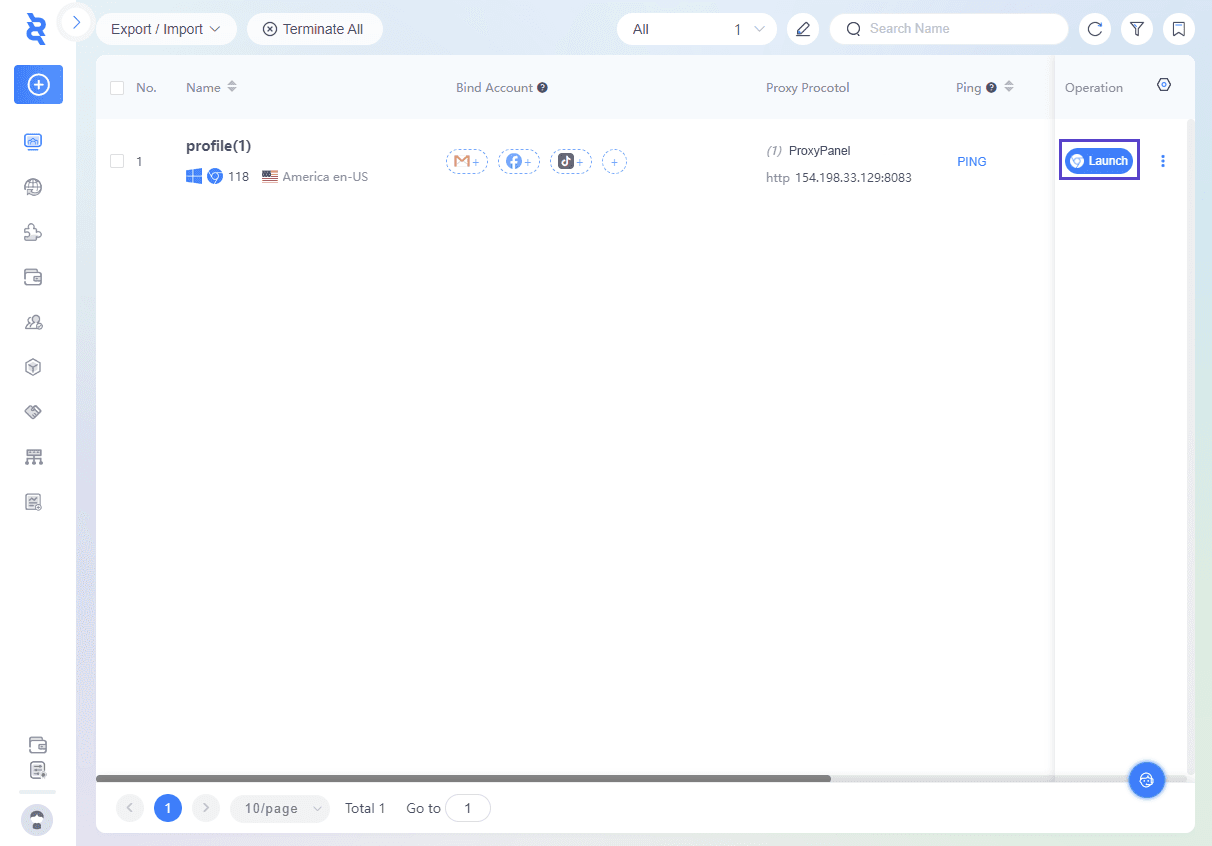
Save all settings and finally click "Launch"
Congratulations! You've completed the setup of your proxies. With multiple browser profiles and proxies, you can securely and anonymously browse the internet, keeping your online presence hidden and protected. Enjoy the enhanced privacy and versatility that ClonBrowser offers!