Integration
Sphere Browser
Sphere Browser is a versatile web browser designed for seamless internet browsing and website access. Its user-friendly interface, tabbed browsing, and bookmarking features enhance your browsing experience, allowing you to navigate websites effortlessly and search for information efficiently.
Setting up proxies using Sphere
Download the Sphere application, then open it and sign up.
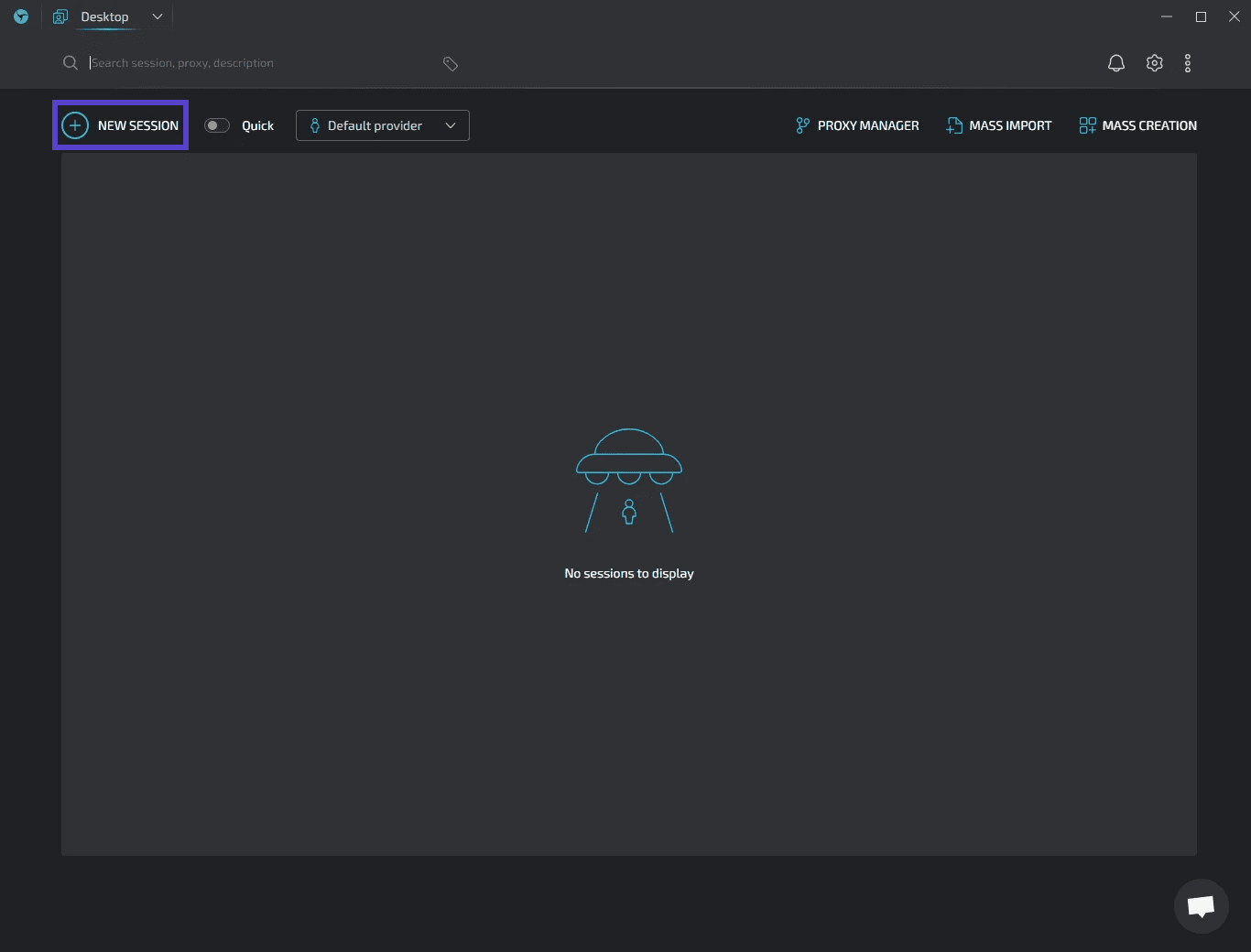
On the main screen, make sure the "Quick" switch next to "New Session" is turned off. When it is on, Sphere creates the session from a preset without opening its settings. Then click "New Session" to start setting up a browsing session.
Sign in to your ProxyPanel dashboard and open My Proxies. If the proxy reads "Pending · starts on activation", click Start proxy first; it carries no traffic until then.
The Connection column gives the proxy's host twice, once with its HTTP port ("HTTP proxy") and once with its SOCKS5 port ("SOCKS5 proxy"). Your proxy username and password sit in the Credentials column: use Copy username and Copy password, or click the eye icon to reveal the password. Your account password is not needed for this.
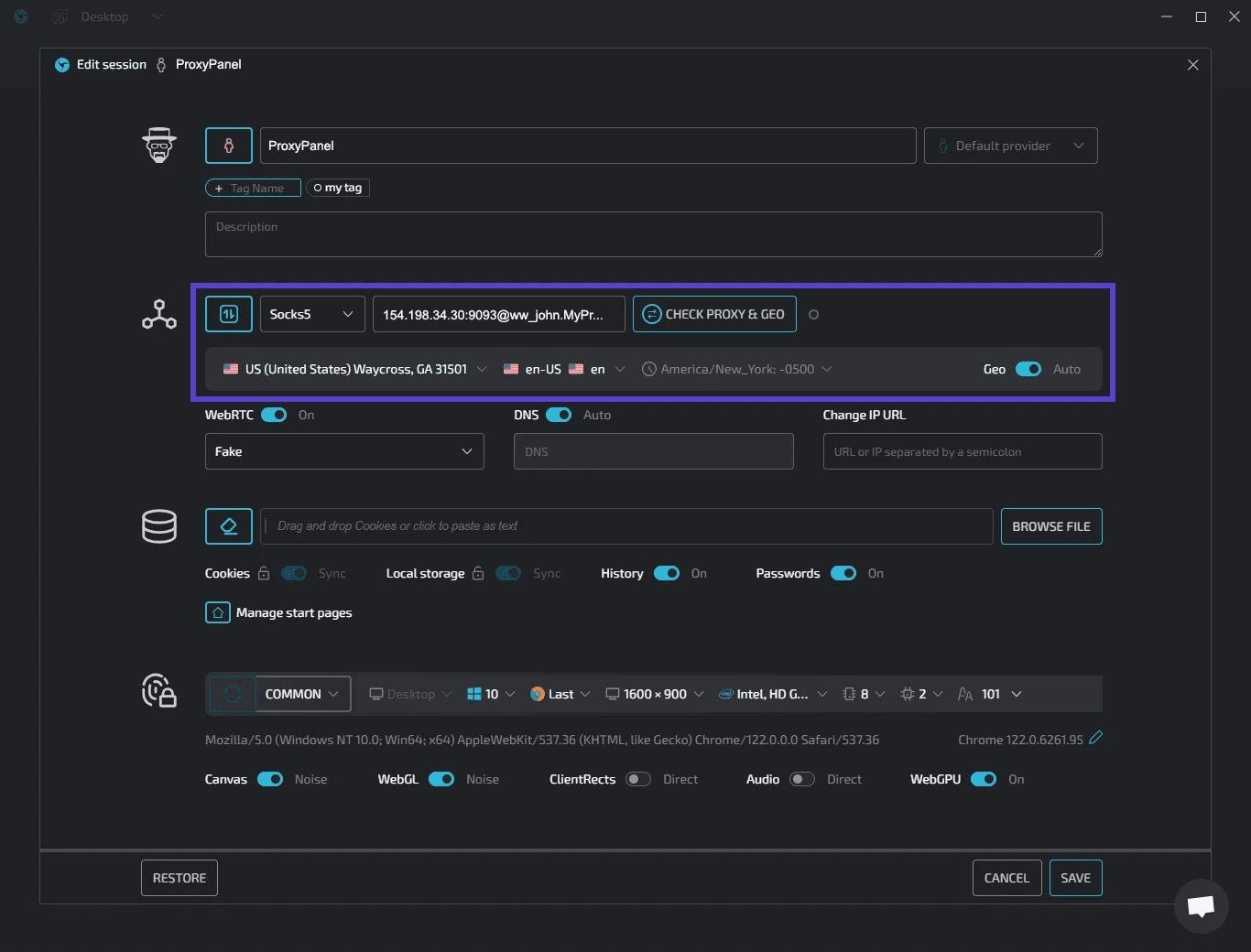
Assign a name to your session, then pick the protocol in the session's Connection block: Socks5 together with the SOCKS5 port, or HTTP together with the HTTP port. Type in the host, port, username and password, or paste them as a single line. Sphere accepts host:port:username:password and host:port@username:password, among others. In your ProxyPanel dashboard, the proxy's ⋮ menu → Details shows the first form ready to paste; the port in that line is the SOCKS5 port, so use it with Socks5. Click "Check proxy and geo" to test the connection, then click "Create" (or "Save" when you are editing an existing session).
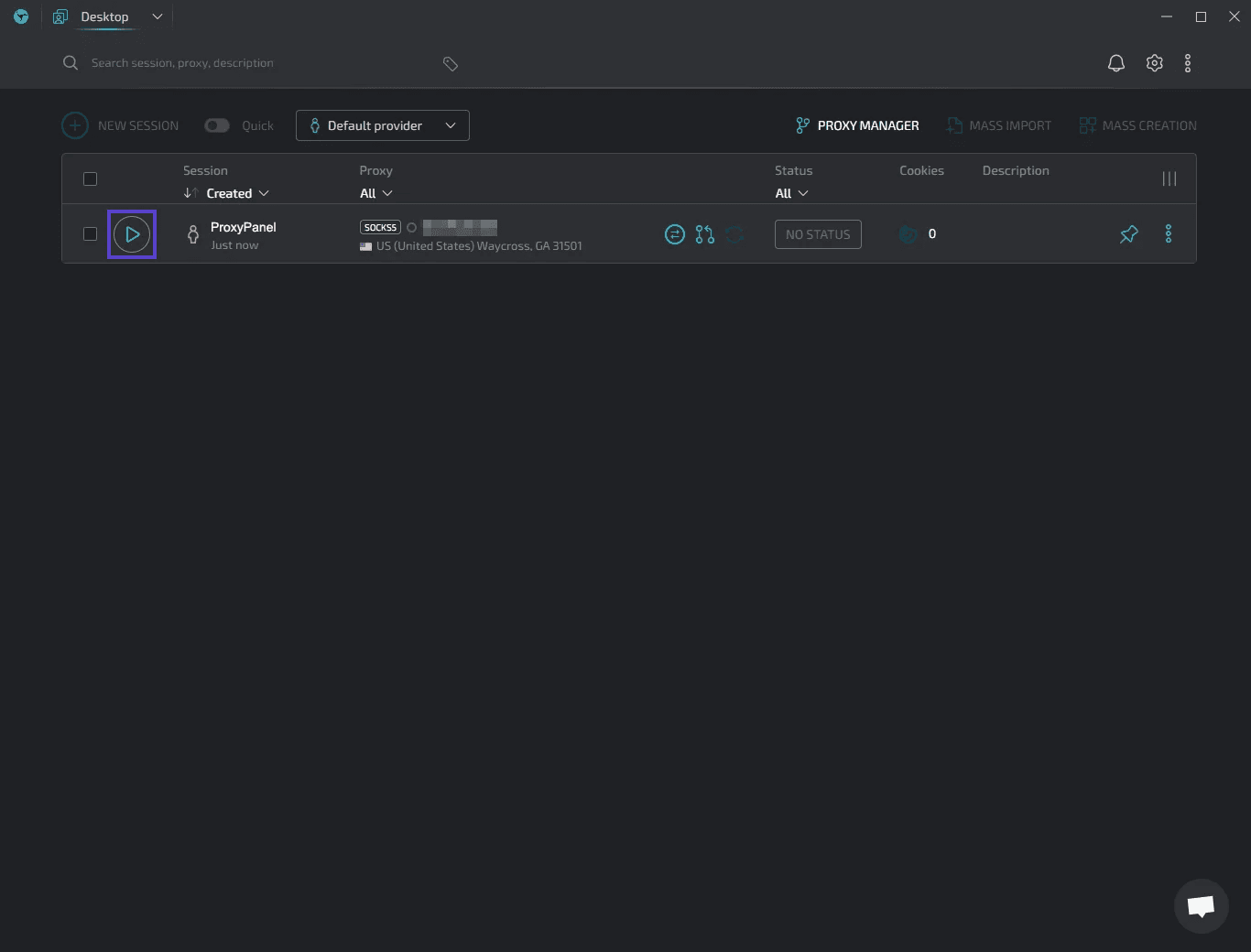
Start your session with the play button at the left of its row in the session list. Linken Sphere opens the session's browser, ready for private browsing.
You're all set! Give every session a proxy of its own, and each one browses from its own mobile IP instead of sharing a single address with the others.