Integration
MacOS Devices
Proxies enhance online security and enable access to restricted websites. This guide will help you connect your Mac to your ProxyPanel 4G and 5G mobile proxy, so Safari and the other apps that follow the system settings browse from your proxy's IP.
Setting Up Proxies on macOS
The steps and pictures below show System Preferences (macOS Monterey and earlier). On macOS Ventura and later, choose Apple menu > System Settings, click Network in the sidebar, click your network service, then Details, then Proxies; the entries and fields are the same.
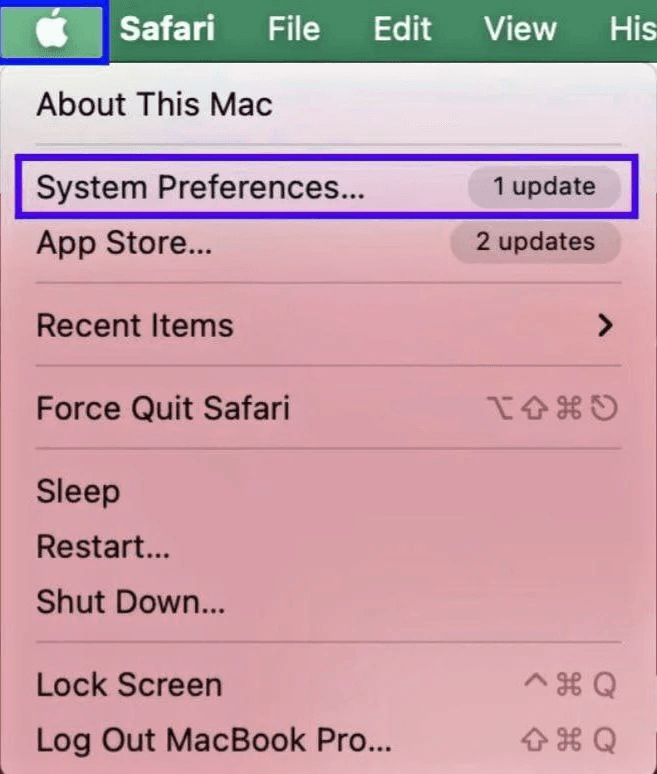
To access System Preferences, simply click on the Apple icon located at the top left corner.
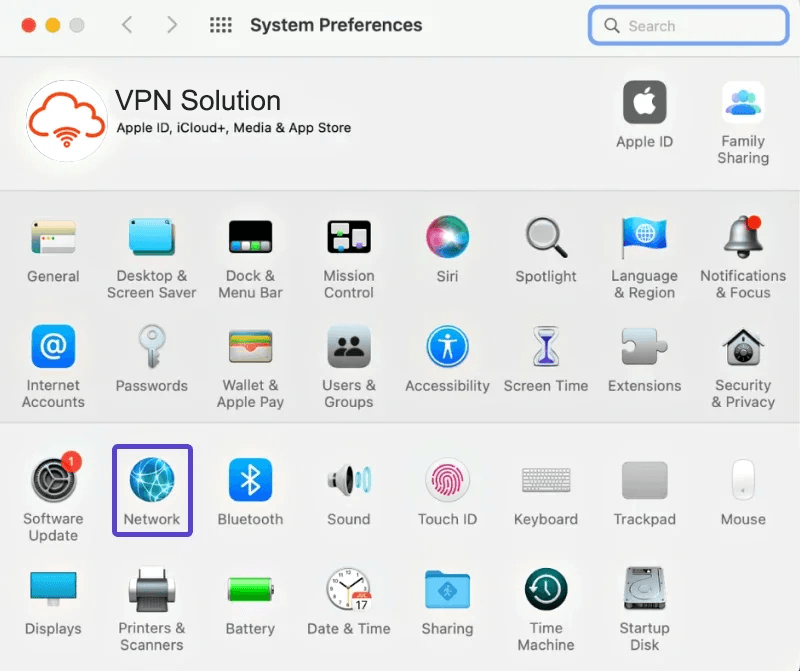
Navigate to the Network panel by selecting the Network icon in your system preferences.
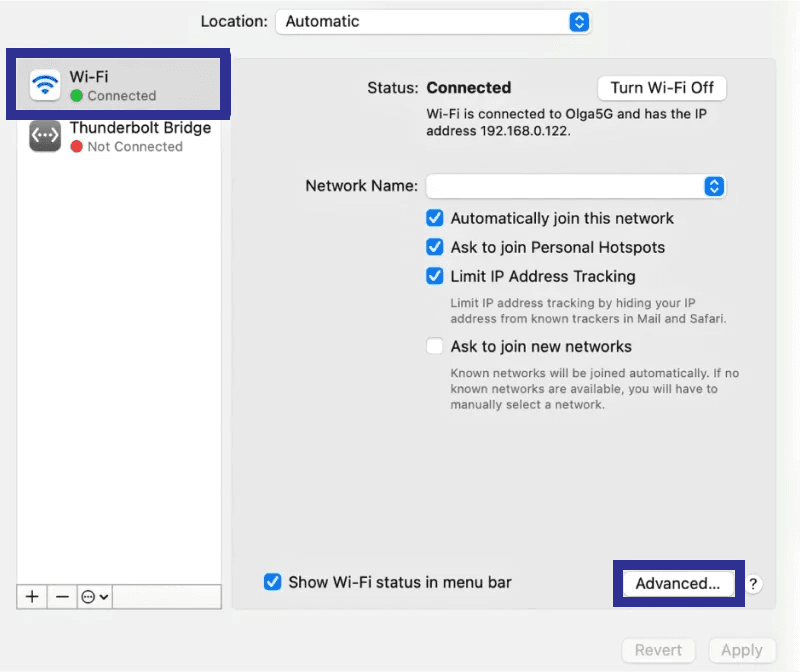
Pick the Wi-Fi network you wish to set up, and afterward, click on Advanced located at the lower right corner.
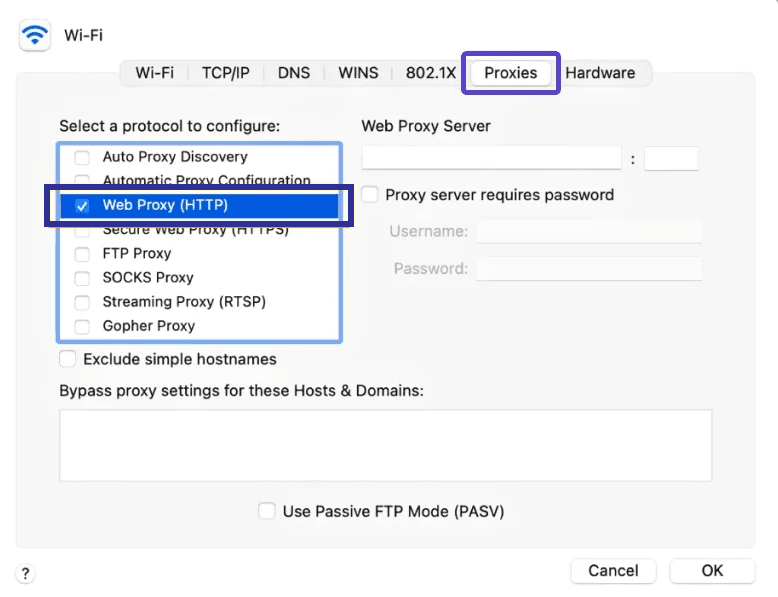
Choose the Proxies tab and mark both of the checkboxes below:
- Web Proxy (HTTP)
- Secure Web Proxy (HTTPS)
Sign in to your dashboard and open "My Proxies". If your proxy shows "Pending", press "Start proxy" first. The host and the HTTP port are on the proxy's "HTTP proxy" line (host:port).
Your proxy username is under "Credentials" ("Copy username"). The password is masked: click the eye icon ("Show / hide") to see it, or "Copy password" to copy it. Your account password is not needed for this.
Complete the form fields for each of the two entries, using the same values in both:
- Proxy server address: the host (the IP address before the colon on the "HTTP proxy" line)
- Port (the box after the colon): the HTTP port, also for the HTTPS entry
- Tick "Proxy server requires password"
- Username and Password: your proxy username and password
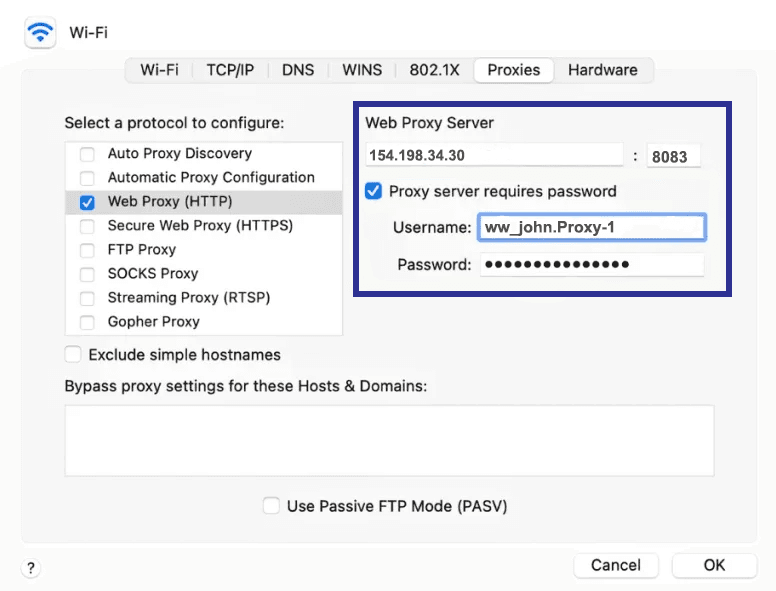
Click OK, then Apply.
Removing proxies
To return to the default proxy server settings, make sure all the
◻️ checkboxes are unchecked, then click OK and Apply.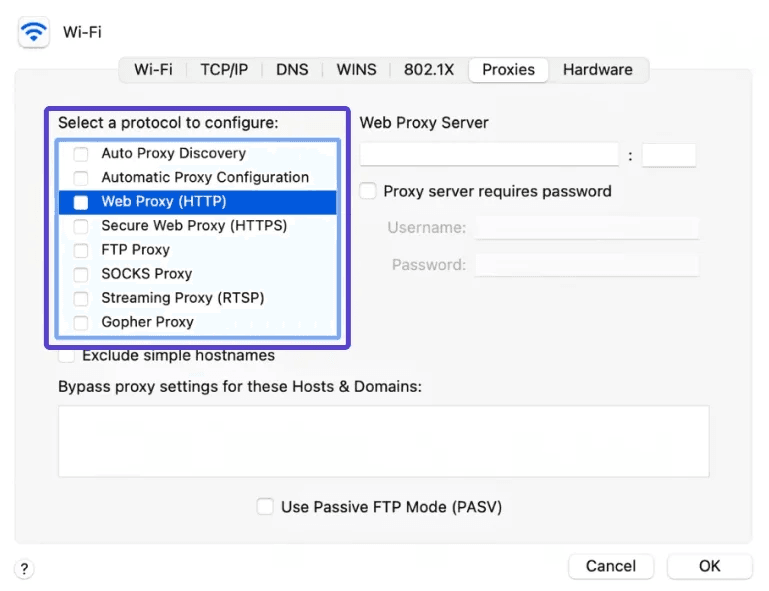
As you can see, setting up and disabling a proxy server on your Mac device is easy. If you want to explore additional integration options or get an overview of a specific tool, check out the integration guides on this page.