Introduction
BeautifulSoup — An Overview
Beautiful Soup is a powerful Python library designed for extracting data from HTML and XML files. It simplifies the process of web scraping by providing intuitive methods for navigating, searching, and modifying the parse tree of web documents. With Beautiful Soup, you can effortlessly extract and manipulate data from complex web pages, making it an essential tool for data analysts, developers, and anyone involved in data extraction tasks. By working seamlessly with various parsers, Beautiful Soup helps streamline the process of converting raw HTML or XML into structured, usable data. Beautiful Soup doesn't download pages itself, so in this guide the requests package fetches them through your proxy. For more information, see the Beautiful Soup documentation.
Prerequisites
Install Python from the official website.
Check if Python is installed correctly using the following command:
python --versionThe output should be in the following format:
Python 3.11.2If you receive an error or see a version number starting with 2.x, you need to download Python 3.x and follow the installation instructions to set it up
Install the requests package:
pip install requestsInstall Beautiful Soup:
pip install beautifulsoup4This command installs the beautifulsoup4 package, which is commonly used for parsing HTML and XML documents. The examples use html.parser, which comes with Python, so no extra parser has to be installed.
Configuring the Requests Package with ProxyPanel
We will use ProxyPanel to set up the `requests` package for parsing Amazon items with Beautiful Soup. Begin by retrieving your proxy information from the ProxyPanel dashboard.
Open My Proxies. A proxy that shows Pending has to be started with Start proxy before it carries traffic. In the Connection column, the "HTTP proxy" entry gives the host and the HTTP port. In the Credentials column, Copy username copies the username; the password is masked until you press the eye button (Show / hide), and Copy password copies it. Your account password isn't needed. Store the four values as environment variables:
# macOS / Linux
export PROXY_HOST="HOST"
export PROXY_HTTP_PORT="HTTP_PORT"
export PROXY_USERNAME="USERNAME"
export PROXY_PASSWORD="PASSWORD"

# Windows (PowerShell)
$env:PROXY_HOST = "HOST"
$env:PROXY_HTTP_PORT = "HTTP_PORT"
$env:PROXY_USERNAME = "USERNAME"
$env:PROXY_PASSWORD = "PASSWORD"
import os
from urllib.parse import quote
import requests
# URL to scrape
url = 'https://www.amazon.com/s?k=laptops' # Replace with the desired website URL
# Proxy configuration, read from the environment variables
proxy_host = os.environ['PROXY_HOST']
proxy_port = os.environ['PROXY_HTTP_PORT']
proxy_login = quote(os.environ['PROXY_USERNAME'], safe='')
proxy_password = quote(os.environ['PROXY_PASSWORD'], safe='')
proxy = f'http://{proxy_login}:{proxy_password}@{proxy_host}:{proxy_port}'
# Headers to mimic a real browser (requests sets Accept-Encoding itself)
headers = {
'User-Agent': 'Mozilla/5.0 (Windows NT 10.0; Win64; x64) AppleWebKit/537.36 (KHTML, like Gecko) Chrome/91.0.4472.124 Safari/537.36',
'Accept-Language': 'en-US,en;q=0.9',
'Connection': 'keep-alive',
'Upgrade-Insecure-Requests': '1'
}
proxies = {
'http': proxy,
'https': proxy
}
# Send a GET request using the proxy
response = requests.get(url, proxies=proxies, headers=headers, timeout=30)
# Check if the request was successful
if response.status_code == 200:
# Process the response content
print(response.text)
else:
print('Request failed with status code:', response.status_code)The script takes every proxy detail from the environment, so there are no placeholders to fill in. It sends all of its requests through the proxy. There's no Accept-Encoding header in the list on purpose: requests only asks for compression it can decode, while forcing br without the Brotli package installed would leave you with unreadable bytes instead of HTML.
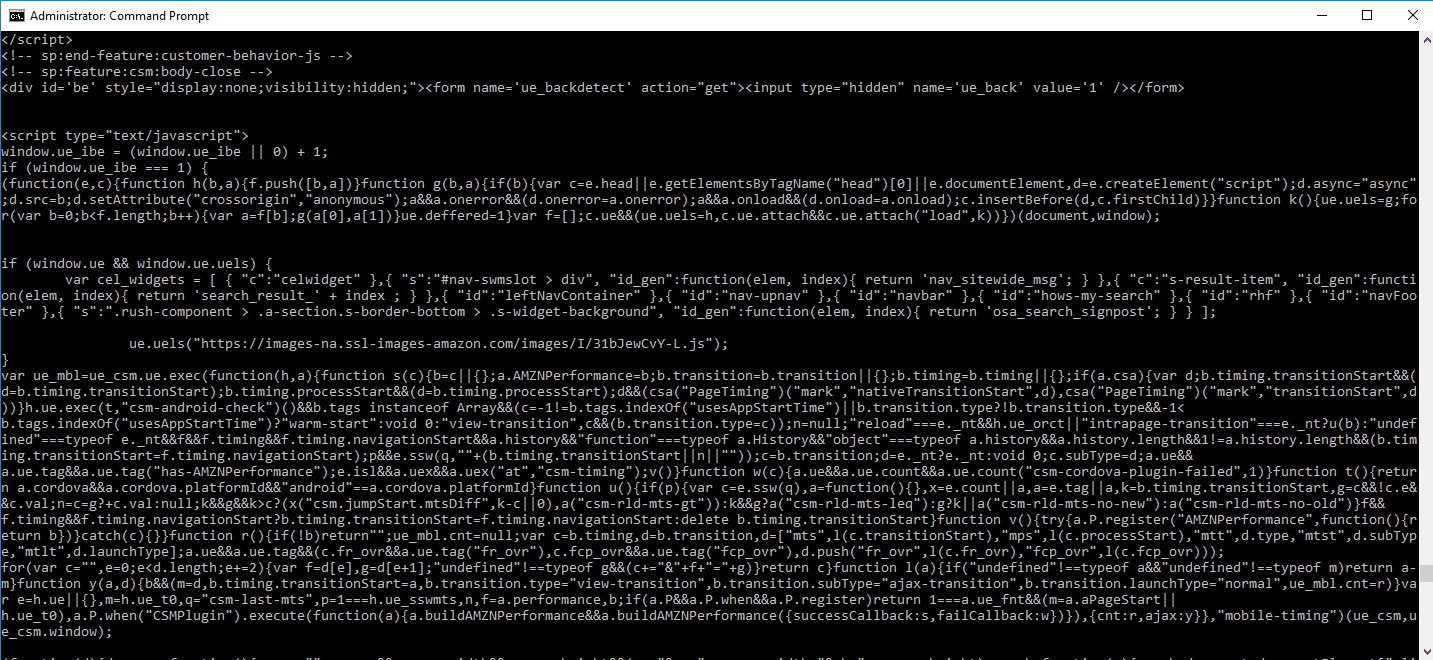
If you see a screen containing HTML, CSS, and JavaScript code, it means you have successfully scraped Amazon items using ProxyPanel proxies. Next, let’s proceed with parsing the HTML content using Beautiful Soup.
Parsing Content with Beautiful Soup
After scraping the content, the next step is to parse it using Beautiful Soup. This package specializes in parsing HTML and XML content, making it easy to extract and manipulate the data you need.
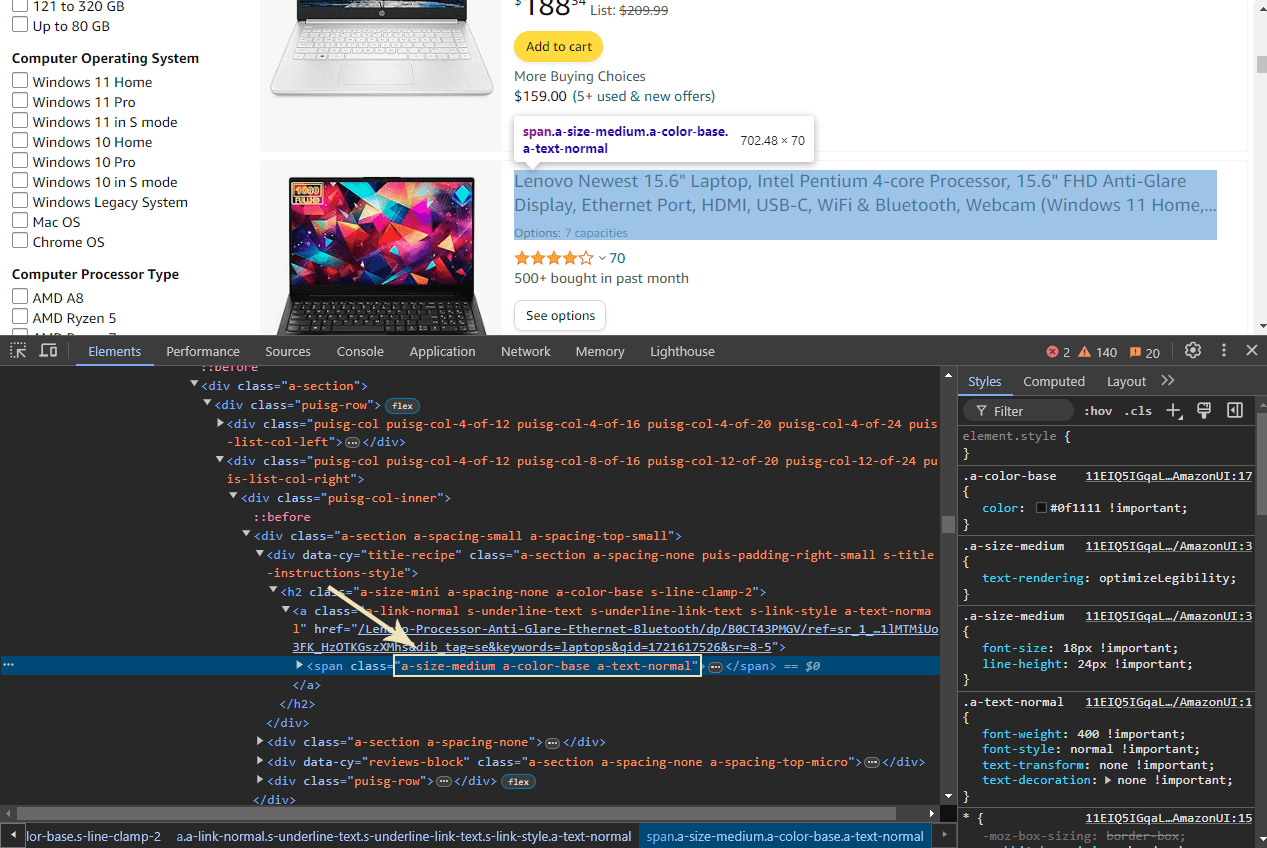
As we see in the picture, each laptop title is contained within a <span> element with the classes a-size-medium a-color-base a-text-normal. To extract these titles, you can use the browser’s Developer Tools (press F12) to inspect the page and confirm these classes, since sites change their markup from time to time. Our task is to extract all <span> elements carrying these classes to retrieve the titles.
The following code will guide you through parsing all these <span> elements using Beautiful Soup, allowing you to efficiently extract and work with the data. It uses the CSS selector method select(), which the Beautiful Soup documentation recommends for matching several classes at once.
import os
from urllib.parse import quote

import requests
from bs4 import BeautifulSoup

# URL to scrape
url = 'https://www.amazon.com/s?k=laptops'  # Replace with the desired website URL

# Proxy configuration, read from the environment variables
proxy_host = os.environ['PROXY_HOST']
proxy_port = os.environ['PROXY_HTTP_PORT']
proxy_login = quote(os.environ['PROXY_USERNAME'], safe='')
proxy_password = quote(os.environ['PROXY_PASSWORD'], safe='')
proxy = f'http://{proxy_login}:{proxy_password}@{proxy_host}:{proxy_port}'

# Headers to mimic a real browser (requests sets Accept-Encoding itself)
headers = {
    'User-Agent': 'Mozilla/5.0 (Windows NT 10.0; Win64; x64) AppleWebKit/537.36 (KHTML, like Gecko) Chrome/91.0.4472.124 Safari/537.36',
    'Accept-Language': 'en-US,en;q=0.9',
    'Connection': 'keep-alive',
    'Upgrade-Insecure-Requests': '1'
}

# Proxy settings
proxies = {
    'http': proxy,
    'https': proxy
}

# Send a GET request using the proxy
response = requests.get(url, proxies=proxies, headers=headers, timeout=30)

if response.status_code == 200:
    # Process the response content with Beautiful Soup
    soup = BeautifulSoup(response.text, 'html.parser')

    # Find all <span> elements that carry all three classes
    titles = soup.select('span.a-size-medium.a-color-base.a-text-normal')

    # Print each title
    for title in titles:
        print(title.get_text(strip=True))
else:
    print('Request failed with status code:', response.status_code)
Conclusion: Extracting and Utilizing Laptop Titles
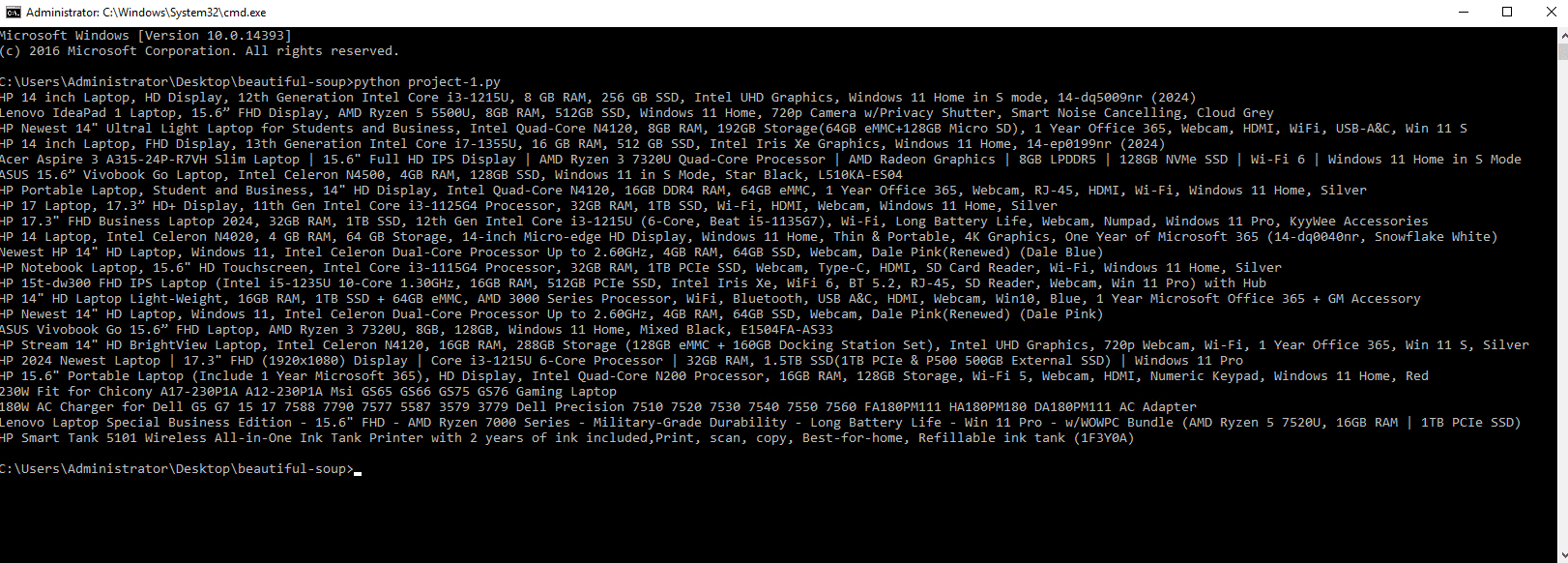
The final output will be a list of laptop titles extracted from the webpage, as shown in the picture. This demonstrates the effectiveness of Beautiful Soup in parsing and retrieving specific data from HTML content. With this approach, you can efficiently gather and utilize the information you need. Thank you for following along with this guide!